Read once for meaning before counting assets
Begin with a complete read and describe the change in each scene. A character finds a key, loses someone’s trust or decides to leave. Then mark the visible or audible information needed to make that change understandable. These requirements deserve priority over background details that merely make the image attractive.
In a fictional station scene, a traveller noticing that the last train has departed needs a readable departure cue and a reaction. A crowded concourse may be optional. Understanding that distinction helps you contain the scene without losing its purpose.
Use stable asset names
Create one identifier for each recurring character, location, costume state and important prop. Use those names throughout the breakdown even when the script uses synonyms. “Red case,” “suitcase” and “bag” might refer to one object; treating them as three creates avoidable ambiguity.
Record state changes separately. A closed case in the opening and a broken case later can share an identity while needing different references. Include when a change occurs and which later scenes inherit it. Do the same for wet clothes, damaged objects and knowledge gained by a character.
Build a scene grid that exposes dependencies
Keep the first grid small enough to scan. Give each row a scene identifier and list only requirements that affect preparation, continuity or review. Add a risk note where the intended result is uncertain. The grid should tell you which test to run first, not catalogue every noun in the script.
The following is a fictional planning example. It records dependencies rather than promising any particular generation result.
| Scene | Required elements | Continuity or test |
|---|---|---|
| 01: departure board | Traveller A; station; red case | Departure cue must be readable. |
| 02: platform discovery | Traveller A; empty platform; red case | Same coat and case; test lonely wide shot. |
| 03: decision to walk | Traveller A; station exit; damaged case | Case handle breaks here; preserve that state. |
Resolve the expensive unknown first
Select a representative scene containing the hardest recurring requirement. This might be two characters handling the same prop, a costume seen from several angles or dialogue across an eyeline. Review that test against the story need before expanding the asset list.
When a requirement changes, update the breakdown and identify affected scenes. A new coat colour may touch many shots; removing an extra in the background may touch one. Keep the original script version attached to the breakdown so collaborators know which interpretation they are reviewing.
In Wrong Opera’s Story view, the premise, timed beats and screenplay are visible together. Use this view for a first breakdown pass: read one beat, locate the corresponding action in the script, and list only the cast, props and locations that action requires. A script mention is not yet an approved visual reference.
Give each unresolved requirement a concrete test. “Keeper touches switch” needs a contact-action check; “keeper recognises the signal” needs a readable cue and reaction. Keep those tests next to the scene grid so a producer can distinguish an unmade asset from an unanswered storytelling question.
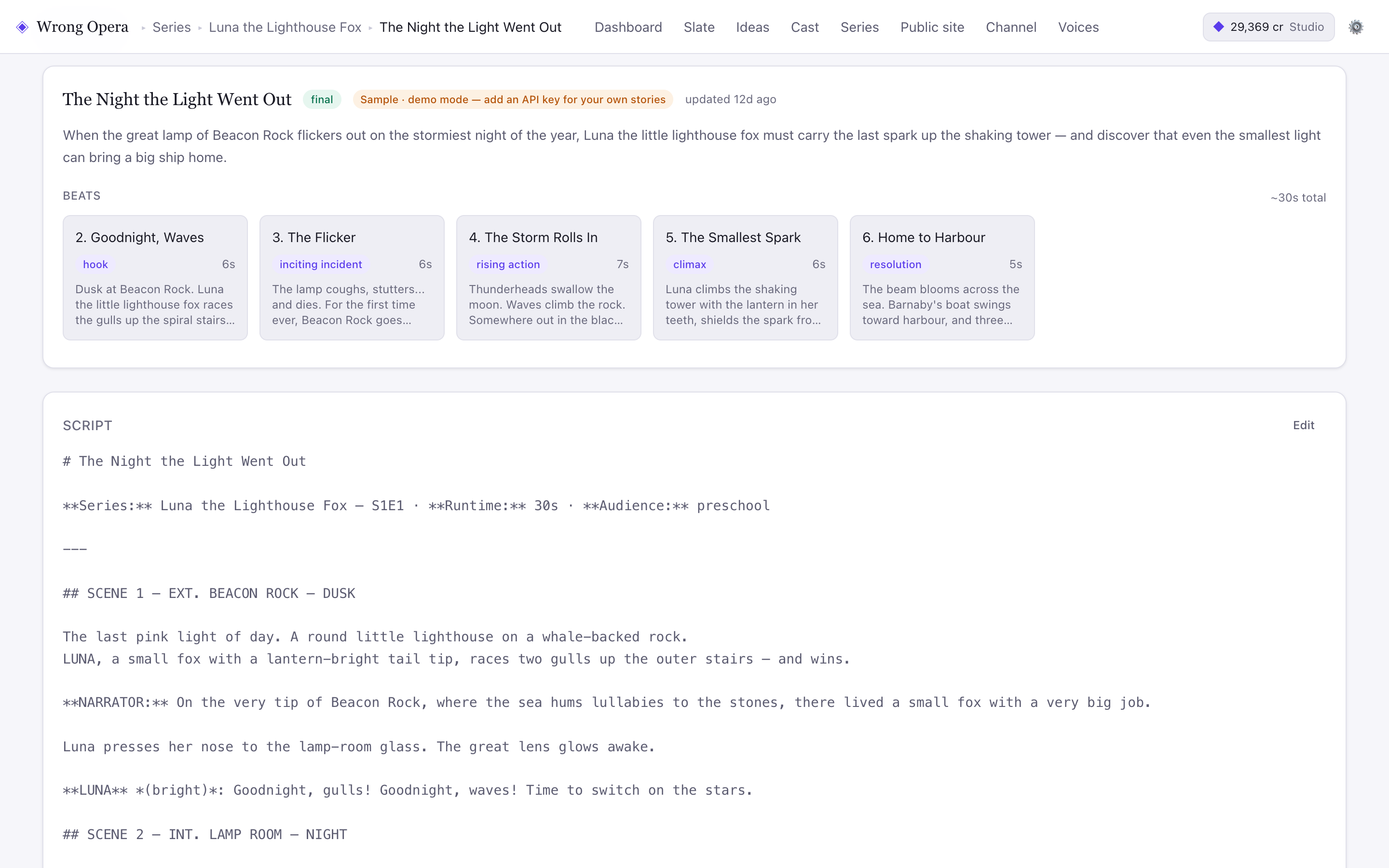
The sample Story view provides a premise, beat plan and script for a breakdown. The displayed thirty-second estimate is fictional planning data.
Real product interface captured 7 September 2026, using fictional built-in demo data. Approval notes and balances are sample data. Any animation or final-cut playback shown uses still-image fixtures, not a measured production result.
Open full-size product screen ↗Questions & answers
Should I break down every background object?
Only when it affects story, continuity or a decision somebody must make. Over-detailed lists become difficult to maintain and can obscure the few elements that genuinely need consistent treatment.
When is the breakdown finished?
Treat it as stable enough to begin a bounded production test, then update it when approved script or design decisions change. Record the version instead of silently editing a shared assumption.
Explore the workflow with your own idea.