FOR PRODUCTION COMPANIES & CREATIVE TEAMS
AI filmmaking software for production teams.
Wrong Opera connects story development, boards, casting, AI production and review for production companies and creative teams. Keep creative decisions together through six approval gates, share projects with collaborators and collect client comments and change requests in review rooms. Start by evaluating one representative scene or pilot.
Bring a brief. Confirm the workflow, delivery requirements and access terms before deciding on a wider rollout. Read the product facts
Would you rather have a scene made for you? See fixed-price pitch scenes
A BOUNDED PRODUCTION EVALUATION
Make the decision on your own brief.
Define one useful deliverable
Choose a scene, short or pilot with an intended audience and a clear acceptance standard. Bring the script, references and delivery requirements that your team would use on a real project.
Run a complete review cycle
Follow Story, Board, Look, Voices, Animation and Cut. Assign the creative decisions to your own reviewers, then use project collaboration and client review rooms to assess feedback and revisions.
Record the actual effort
Track credits, accepted and rejected takes, hands-on time and any external finishing. Confirm output formats, rights, data handling and commercial terms with the team before approving wider use.
INSIDE THE PRODUCT
Inspect the story and shot plan in one workbench.
The product screens below show a script and a selected shot with review controls. In your demo, follow your own brief through the same creative decisions and ask to see how a requested change reaches the next review.
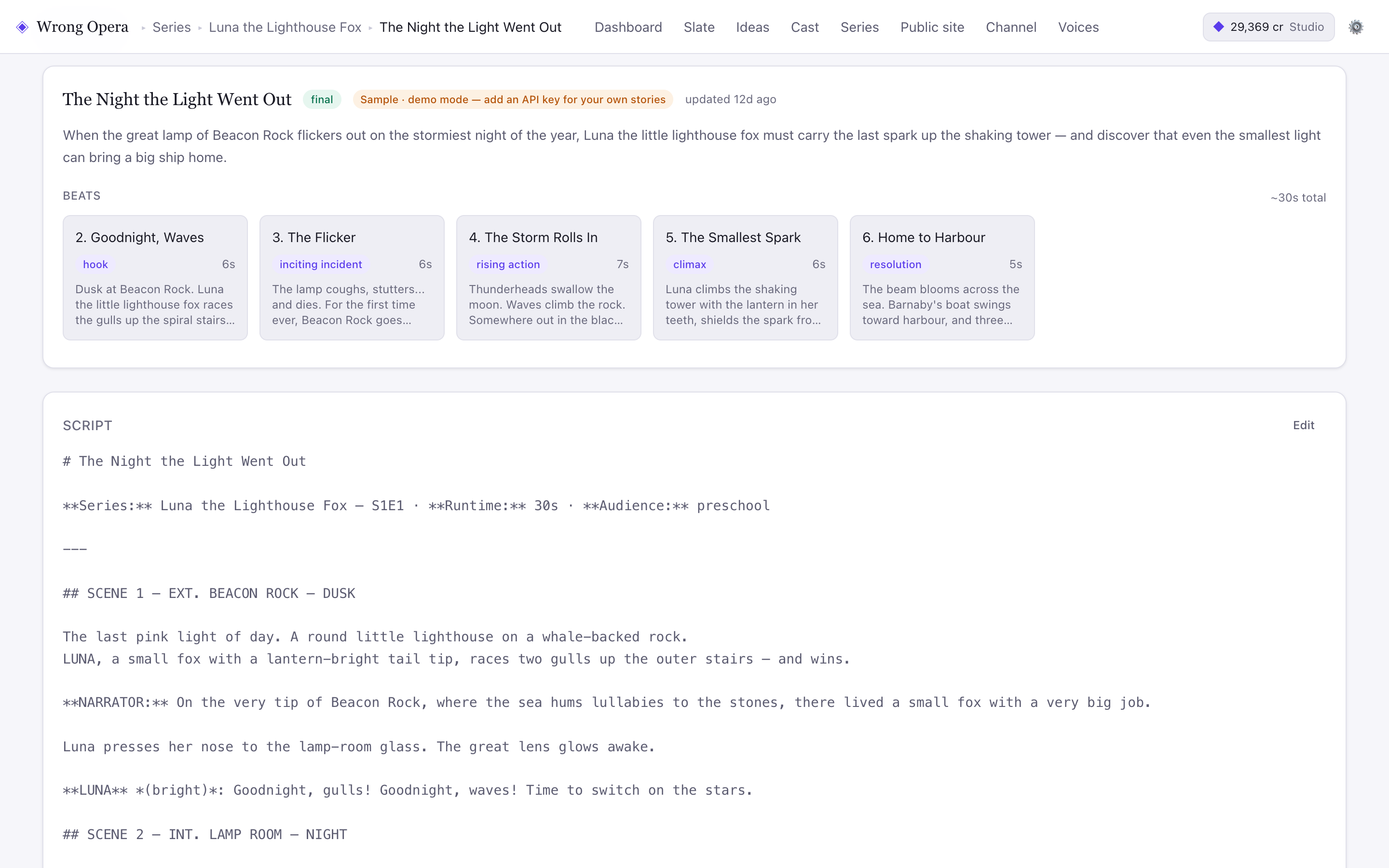
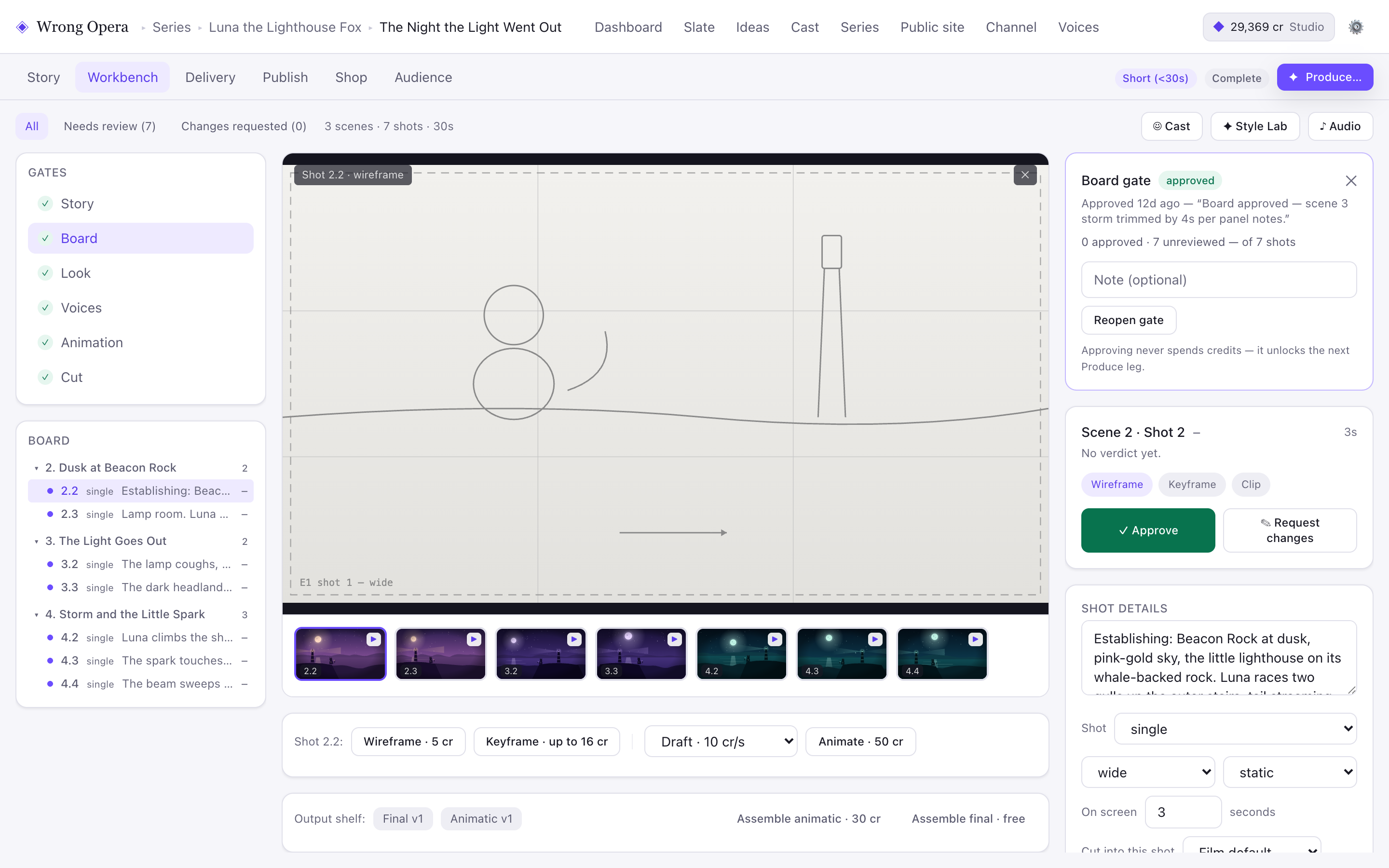
Sample project, captured on 7 September 2026. Read the screenshot notes and product facts.
BRING YOUR AMBITION. WE’LL BRING THE WORKBENCH.
A useful demo starts
with your production.
Tell us what you make and what you want to explore. The team replies within one working day.
Request a studio demo- Your format and intended audience
- A representative brief, script or project
- The people who create and approve the work
- Output, integration and commercial requirements
MAKE AN INFORMED CHOICE
Build a shortlist around the work you make.
Use the comparisons to identify workflow differences, then test your priorities with the same brief. Each comparison is dated desk research, sourced from the providers’ own documentation.
Compare LTX Studio
Evaluate story development, shot planning and the review process for narrative production.
Compare Runway
Decide how generation tools and a connected production workbench fit your existing process.
Assess your current toolchain
Identify the handoffs, revision work and shared decisions that a pilot needs to improve.
Download a production brief
Give the evaluation an audience, deliverable, review owner and acceptance criteria.
Scope the team pilot
Plan one bounded production that can inform a wider adoption decision.
Check access and buyer facts
Separate confirmed product capabilities from the questions your team needs to resolve.
Plan a better evaluation.
 PRODUCTION TEAMS / HOW-TO
How production companies can evaluate an AI production workbench
Plan a representative pilot, define creative and operational requirements and evaluate an AI production platform against observable evidence.
PLATFORM / HOW-TOHow to test a story before rendering it
Use simulated audience feedback to investigate story questions, compare revisions and decide what deserves a closer human review.
PRODUCTION TEAMS / FAQ
Questions production teams ask before an evaluation.
What happens in a Wrong Opera studio demo?
We focus the conversation on the kind of work you make, the bottlenecks in your current process and the capabilities you need to evaluate. Bring a representative script, brief or production workflow if you can.
Can clients review work separately in Wrong Opera?
The product includes client review rooms, comments, approval and change requests, plus delivery rounds. A demo can show how those fit your project review process.
Does Wrong Opera support organisation-wide administration or SSO?
The current product includes project collaborators and client review rooms. Organisation-wide administration, workspace roles and enterprise SSO aren’t available today. If your team needs them, list those requirements in your demo request so they can be discussed before an evaluation.
Can we evaluate Wrong Opera before a wider rollout?
Yes. Start the conversation with a bounded project and clear creative, operational and delivery criteria. Scope, commercial terms and any additional requirements are agreed with the team.
Is Wrong Opera software or a production agency?
It’s software. Your team directs the story, cast, visual choices and approvals in a connected workspace, and a studio demo helps you assess it against your own production brief. Separately, James Rooney, the founder, makes pitch scenes as a fixed-price service: up to 45 seconds from your script with AI tools for £2,500, paid upfront and refunded in full if you decline the storyboard.